SHARELOCK.cleaningapartment cleaning and maintenance

The guest checked out. Your team already knows what to clean.

Tomorrow’s tasks are created from bookings automatically, go only to the team at that location, and you hear about every issue early enough to act. Even to move a guest to another apartment.

Helps you keep strong ratings and ranking for your listings on

Booking.comAirbnbTrivagoExpedia

Check-out at 11:00, next guest at 15:00. In between: phone calls, texts to the whole team and a burnt-out bulb nobody told maintenance about. The guest will notice it first.SHARELOCK.cleaning changes that: organised tasks for your team and issues under maintenance control.

01 Booking system integration

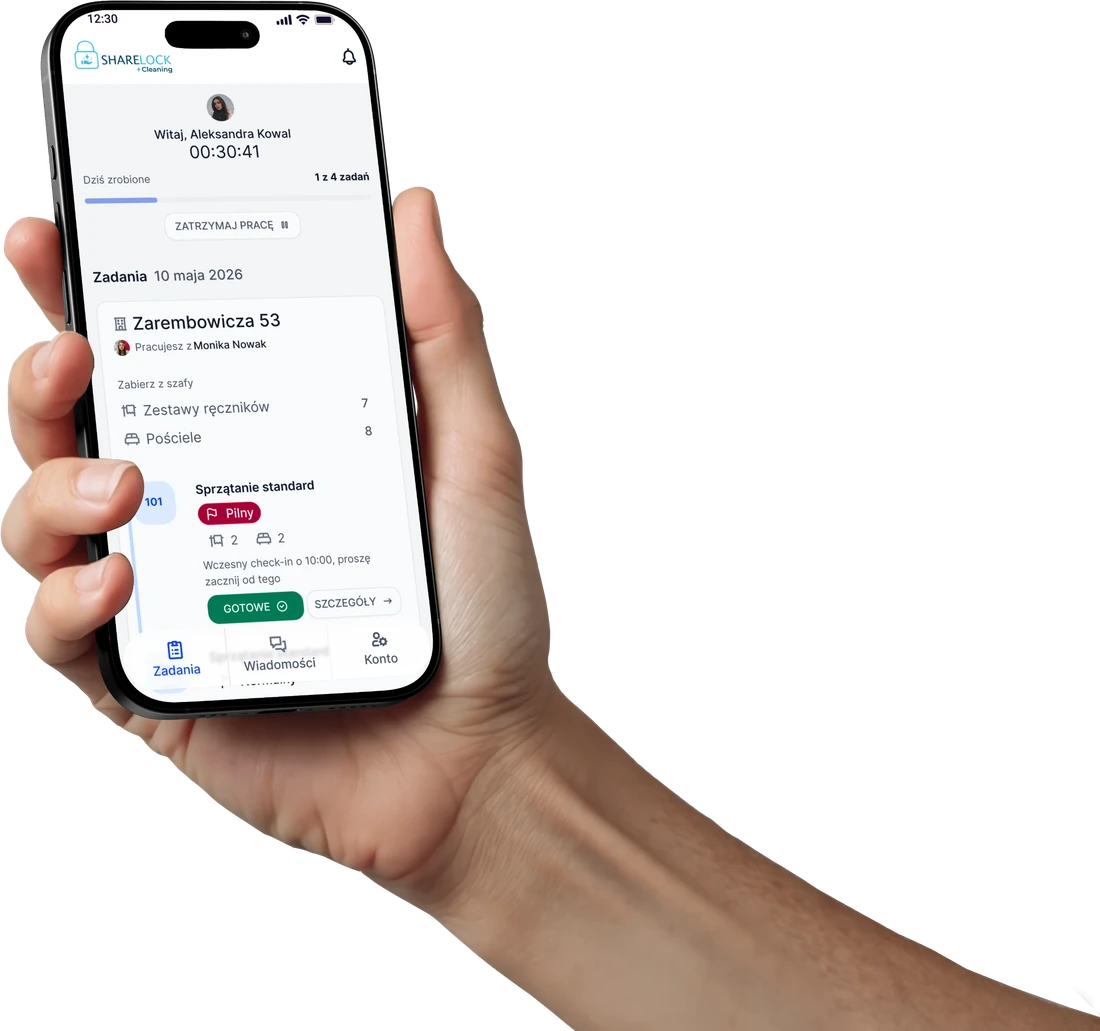
Bookings turn into tasks on their own.

Every evening the system turns idobooking reservations into the next day’s cleaning list, and every morning it checks whether anything has changed. The coordinator just assigns it.

  • ✓Statuses and upcoming bookingsAll apartments on one list.
  • ✓A whole building in one clickNo copying bookings into Excel.
  • ✓“Ready” after a quality checkReception knows right away who can check in.
Check-out→Task→Review→Ready
app.sharelock.cleaning/apartments
02 Team channels

Each team only hears about its own apartments.

Notifications follow location channels. The Zarembowicza crew doesn’t get messages meant for Strachowicka, and the coordinator doesn’t have to message everyone at once.

  • ✓Day plan before leaving homeThe full task list unlocks on site.
  • ✓A thread for every reportPhotos and history stay with the case, not in text messages.
  • ✓Quick replies“On it” in one tap instead of a call.
AN
Anna N.→ Team ul. Zarembowicza 53
Today
Anna N.We’re on site, starting with #104.
Message Anna N. (ul. Zarembowicza 53)…
➤
🔔
Anna N.Team ul. Zarembowicza 53No new messages
🔕
Katarzyna W.Team ul. Strachowicka 1No notification
🔕
Marta L.Team ul. Legnicka 48No notification
03 Issues and shortages

An issue reported today isn’t a bad review tomorrow.

Housekeeping sees the apartment first. Whatever they spot goes to the coordinator, then to maintenance with the full history.
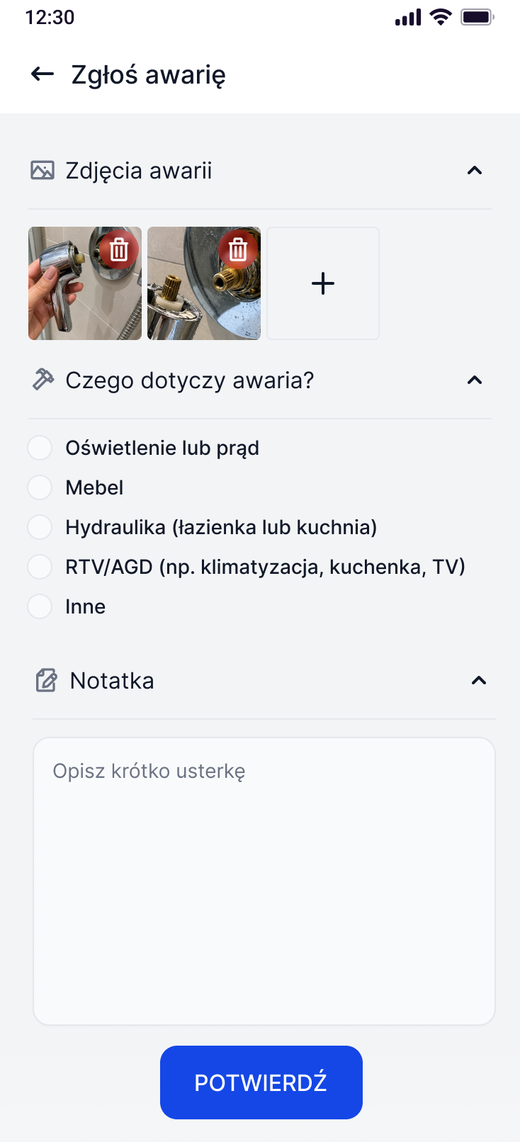
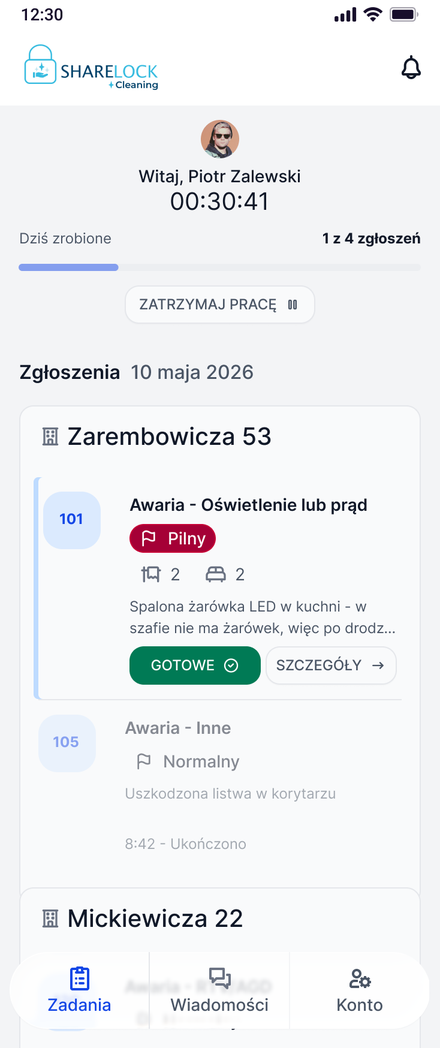
Report an issue screen: photos, issue category, note
Maintenance screen: reports by location and priority
9.4Booking.com ▲
4.9Airbnb ▲
0blocked nights
Illustrative values

Day to day: less counting, more control.

Small things that, in our workshop observations, took teams the most time.

ul. Zarembowicza 53
KWWorking with Katarzyna Wiśniewska
Take from storage
Towel sets0
Bed linen0

“Take from storage” list

Towels and linen counted for the whole location before the team enters the first apartment.

AN
Hi, Anna Nowak
00:30:41
Done today1 of 4 tasks
PAUSE WORK ❚❚

Work time without timesheets

Start and pause in the app. See real time and progress for every team.

APARTMENTSTATUS
#101NOT READY
#104READY
#106NOT READY
#201NOT READY
Selected 0Add taskAdd report

Many apartments at once

Select apartments and add a task or report for all of them in one click.
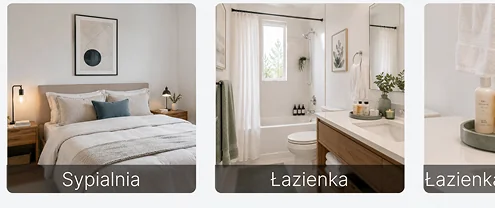
How to prepare the apartment?
Reference photos: bedroom and bathroom
About the task
Early check-in at 10:00, please start here

Reference photos

With every task the team sees how a ready bedroom, living room or bathroom should look.

#102 CleaningIN PROGRESS
#104 CleaningTO REVIEW
#206 CleaningREADY

Quality check before “Ready”

The coordinator approves the apartment or sends the task back with a note on what to fix.

Free demo

Book a free demo.

We’ll walk you through the whole process online, then give you time to try it in practice.

  1. 1
    Leave your detailsWe’ll get back to you within 1 business day.
  2. 2
    Online demoTogether we go from a booking to the “Ready” status.
  3. 3
    A free one-week trialAfter the meeting you get 7 days to test the system.
Jolanta Kowalczyk
Jolanta Kowalczyk+48 609 909 858
Diana Filus
Diana Filus+48 609 909 848

Prefer email? sales@sharelock.pro

Please enter your name.
Please enter a valid email address.
I’m interested in (optional)After the demo: 7-day free trial
✓

Thank you, we’ve got your request!

We’ll get back to you within 1 business day to schedule the demo. After the meeting you’ll get a week to test it.